The Blueprint
From idea to operating business — without losing the thread.
The Blueprint is a connected Notion system that holds the whole arc of a solo business: validation, product, pricing, launch, and the operations that come after. Start with the free Launch Sequence sample — see exactly how it works before you decide.
Want it emailed to you?
Get the free Launch Sequence board — enter your email and we'll send it. The sample link above already works without this; the email is just so you have it. Unsubscribe any time.
What's inside
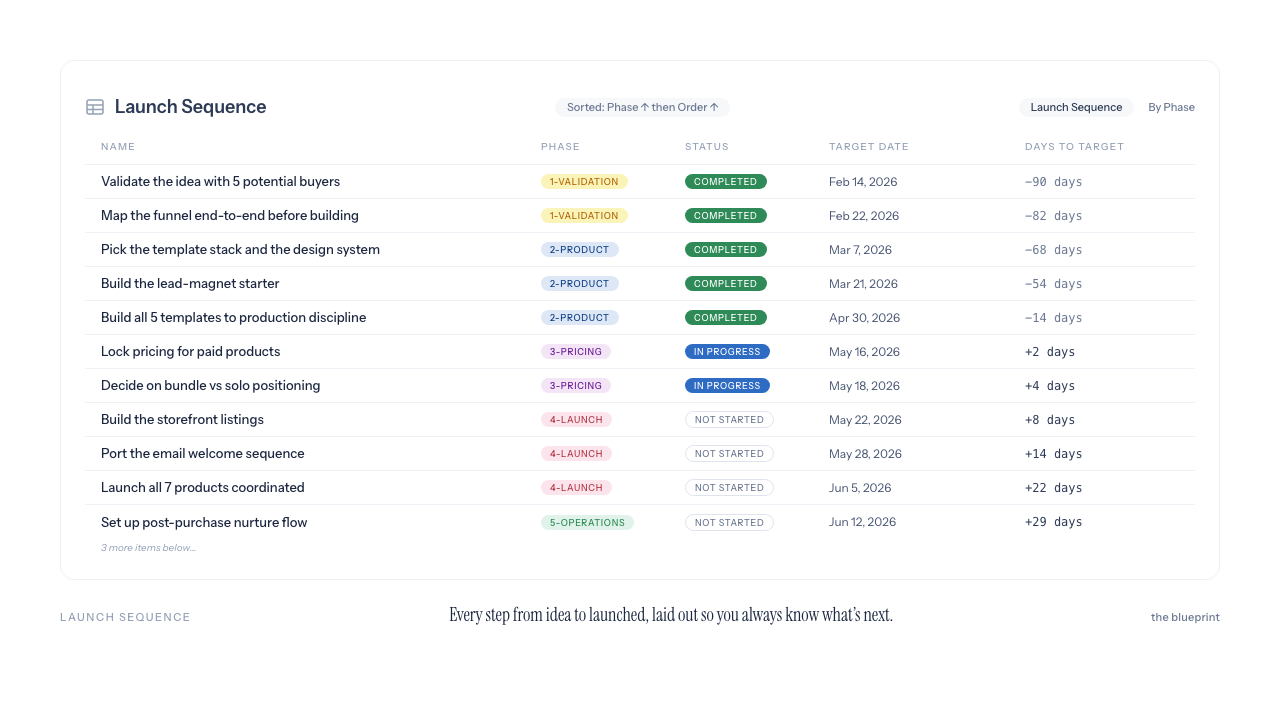
Launch Sequence — the five phases, in the order things actually need to happen.
Clients — who you are working with, tracked through every stage.
Projects — the work in flight: scope, status, and what is next.
Content Calendar — what you are publishing, planned alongside the work.
Invoices — what you have billed and what has been paid: what you enter.
Revenue Dashboard — a clear view of your own numbers. Visibility, not accounting.
Your business isn't messy. It's scattered.
The idea is in one app, the money is in a spreadsheet, the client conversation is in your inbox, and the to-do list is on paper. Nothing is connected, so nothing gives you the whole picture — you can't see that this client maps to that project maps to that unpaid invoice. The pieces exist. They just don't talk to each other.
One system, from the first idea to the day-to-day.
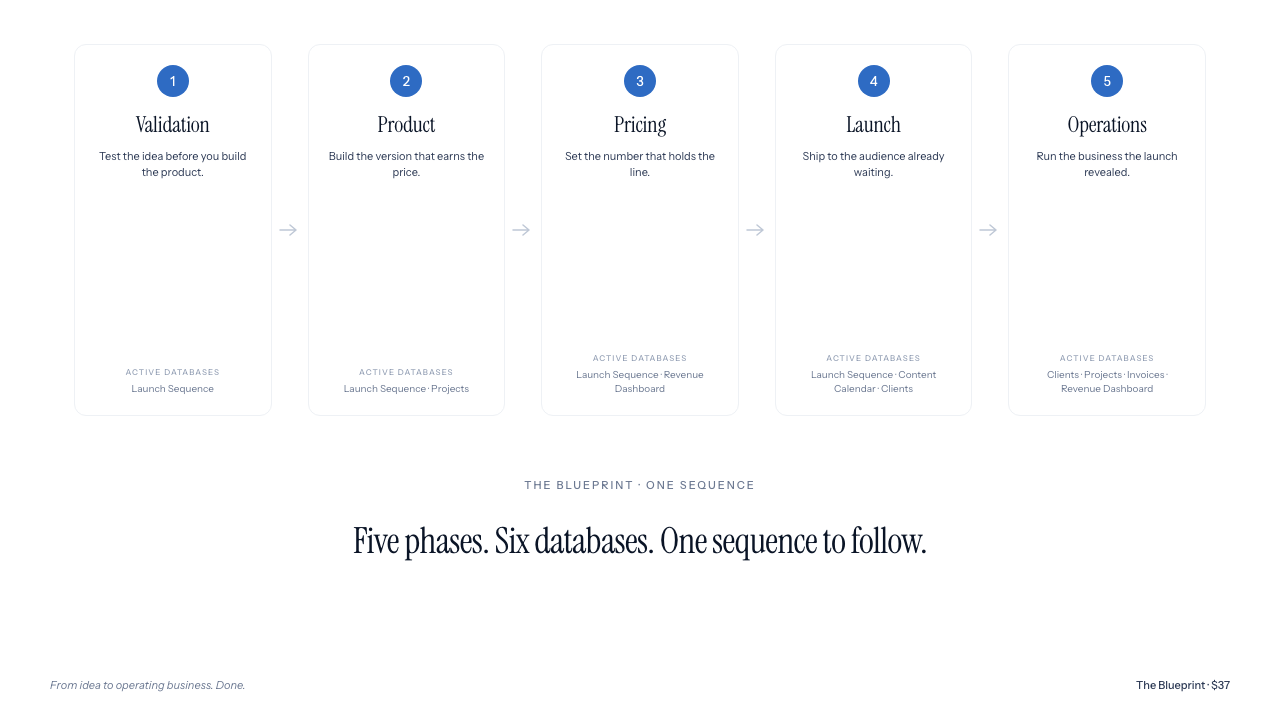
The Blueprint organizes a solo business in two layers: the order things need to happen, and the connected databases that keep it running.
The five phases — the Launch Sequence:
1. Validation — Pressure-test the idea before you build it.
2. Product — Define what you are actually making.
3. Pricing — Decide what it costs and why.
4. Launch — Get it in front of people.
5. Operations — Run the business after the launch — the part that lasts.
One honest note on what it is: it organizes the work — it doesn't do the work for you, and it won't launch anything on its own. The Invoices and Revenue Dashboard track what you enter: a clear view of your own numbers, not accounting software and not financial advice.
Then the picture stays whole.
When everything lives in one connected system, a client links to a project links to an invoice. You stop carrying the whole business in your head — and you can see, in one place, how it's actually going. That's the difference between more templates and a client-to-revenue core where the pieces reference each other.
Is the sample really free?
Yes. The Launch Sequence board is a real, working slice of the system, yours to duplicate and keep. You can view it without entering an email.
What's the difference between the sample and the full Blueprint?
The sample is one board: the Launch Sequence, the five-phase spine, filled in with a worked example. The full Blueprint adds five more databases — Clients, Projects, Invoices and a Revenue Dashboard, wired together, plus a Content Calendar planned alongside the work.
Do I need to be good at Notion?
No. You duplicate it into your own Notion and start filling it in. Everything is already built — you adapt it, you do not assemble it.
Is the Revenue Dashboard accounting software?
No. It tracks what you enter — a clear view of your own numbers. It is visibility, not accounting software, and it is not financial advice.
What do I need?
A free Notion account. You duplicate the system into your own workspace — your data stays yours.
In use
The free sample is the Launch Sequence board, filled in with a real worked example — a productized-service launch, mapped step by step across all five phases. A real, working slice of the system, not a screenshot.
Get The Blueprint — $37
Business OS Notion template.
// Secure Stripe checkout. Delivered to your email.